Space Capture Optimization
Written By Aholo3d
Last updated 6 months ago
I. Equipment Recommendations
Basic Setup
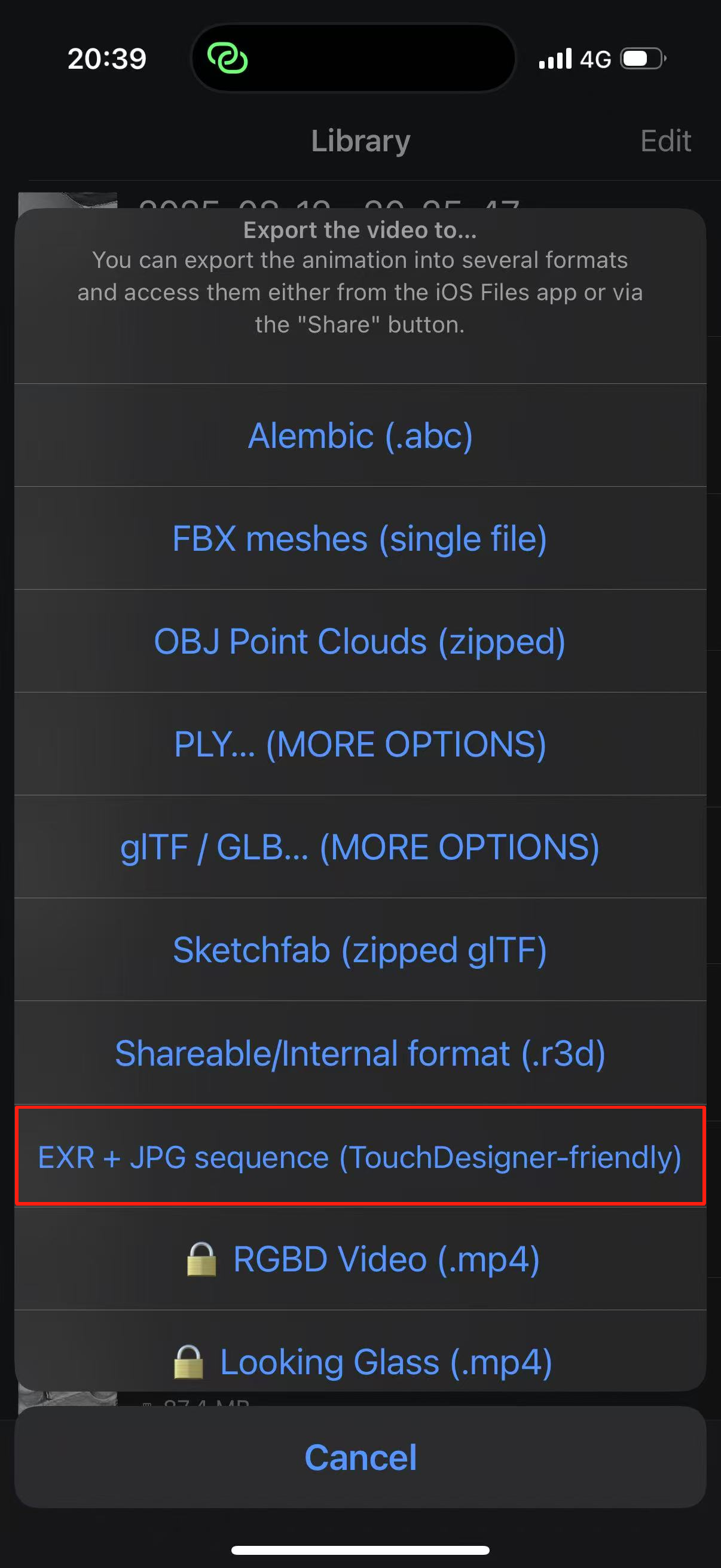
iPhone (Newer models > Older models, ProMax > Pro > Standard Edition) / High-resolution Android phones + optional Record3d App (export files in the format marked with red frame only)
Advanced Setup
Sony A7M3 or newer full-frame camera + wide-angle lens
Premium Setup
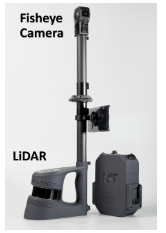
Advanced camera + LiDAR with coverage of 1-10 meters (for improved precision)
Note: Key Hardware Selection
Camera: Prioritize cameras with a large CMOS sensor, paired with a wide-angle lens (to expand shooting coverage)
Auxiliary device: LiDAR (optional, camera intrinsic parameters need to be calibrated with LiDAR parameters)
Reference equipment configuration:
II. Core Shooting Requirements (MUST READ)
1. Fixed Camera Parameter Settings
(All parameters are fixed. Manually adjust all settings, do NOT use AI auto-adjustment; keep aperture fixed)
Aperture: Use a small aperture with a high F-value (F8-F11) for a large depth of field, ensuring sharp focus for foreground, midground and background.
Shutter Speed: ≥ 1/125s (to avoid motion blur)
Shooting Mode: Shutter Priority (S/Tv Mode) + Burst Mode
ISO: Set to the minimum value while maintaining the required shutter speed (≤ 1/200s)
Focus: Auto Focus (AF)
White Balance: Manually fixed (e.g., Daylight / Cloudy mode)
Image Format: RAW format is preferred; enable AE Lock (Auto Exposure Lock)
2. Precise Shooting Techniques
General Rules
Overlap Rate: Ensure ≥ 60% overlap between adjacent photos
Shooting Angles: Full coverage (orbit shooting, low-angle shooting, high-angle shooting)
Avoid Invalid Areas: Strictly refrain from shooting large featureless surfaces, such as plain textureless walls, mirrors, highly reflective glass or metal surfaces.
Indoor Spaces
Basic Prep: Ensure sufficient lighting, clear all obstacles and keep all doors fully open.
Shooting Path: Move the camera steadily and perpendicular to the wall; take supplementary shots along an arc at corners and avoid 90° sharp turns.
Shooting Spacing: Add a middle shooting path when the distance between walls ≥ 3m.
Shooting Heights (3 rounds of shooting for full coverage):✔ Upper level: Camera height 1900mm (or higher), depression angle of 35° (avoid capturing the photographer's feet)✔ Middle level: Camera height 1700mm, eye-level shooting✔ Lower level: Camera height 600mm, elevation angle of 35° (avoid capturing the photographer's head)
Supplementary Shots: Take multi-angle close-up shots for special areas at the end of shooting:• Complex areas with many placed/stacked items• Distant wall areas requiring clear details (e.g., photos, text and fine textures)• Connecting areas (doorways, openings and doors) linking two spaces• Narrow spaces (storage rooms, pantries) — shoot from different angles or the center of the space
3. Lighting & Environment Control (CRITICAL FOR Image Quality)
Ideal Lighting: Shoot in a stable light environment, preferably soft natural light on cloudy days or during sunrise/sunset (provides uniform diffused light with no strong directionality).
Avoid: Harsh direct midday sunlight (creates hard, sharp shadows that appear unrealistic in new perspectives of 3DGS rendering); moving light sources caused by shifting clouds.
Operation: Enable AE Lock (Auto Exposure Lock) on the camera to fix exposure parameters (aperture, shutter speed, ISO) for the entire shooting process, preventing brightness flicker or color block differences in the 3D model.
4. Scene & Subject Preparation
Absolutely Static Scenes
3DGS algorithm assumes the target scene is completely static. No moving or changing objects (e.g., pedestrians, vehicles, swaying leaves, flowing water) are allowed in the shooting range, as dynamic elements will cause floaters or ghosting artifacts in the model.
Optional: Handling Highly Reflective & Transparent Surfaces
(Highly reflective/transparent surfaces are challenging for 3DGS and may cause holes or distorted geometry)• CPL Filter: Attach a Circular Polarizer Lens to effectively eliminate reflections on most non-metallic surfaces.• Imaging Enhancer: For controlled environments, spray a temporary imaging enhancer on transparent or highly reflective objects and remove it after shooting.
Supplement【Technical Terms Notes】
3DGS = 3D Gaussian Splatting
AE Lock = Auto Exposure Lock
CPL = Circular Polarizer Lens
LiDAR = Light Detection and Ranging
CMOS = Complementary Metal-Oxide-Semiconductor
Intrinsic parameters = Camera Intrinsic Parameters(Refer to the camera's own intrinsic parameters, which are independent of the shooting scene).
Was this helpful?
Still need help? Ask the team