Asset Library
Written By Aholo3d
Last updated About 22 hours ago
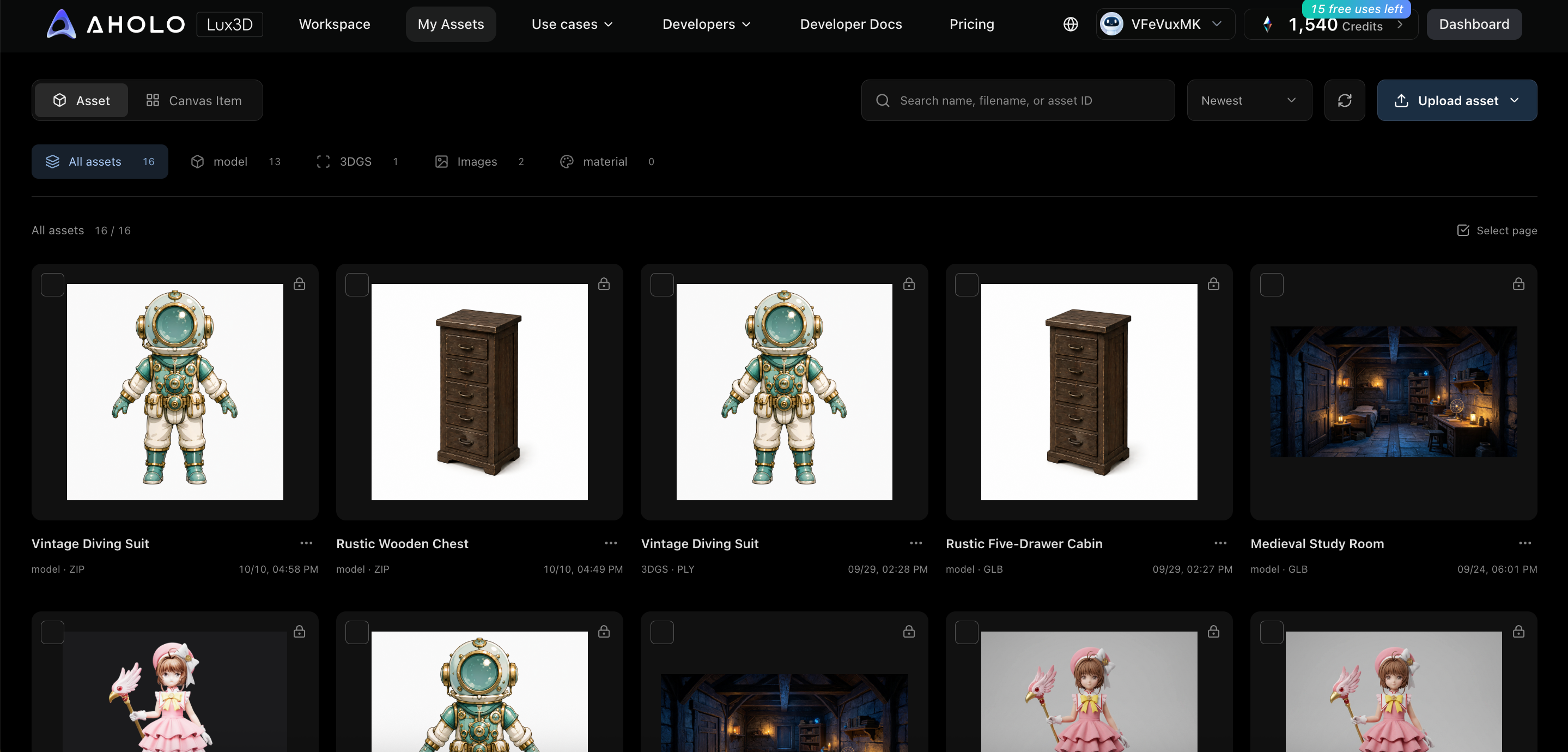
Figure 11: Asset library management page
1. Supported Assets
Images: PNG, JPG, WEBP; max 10 MB per file.
Models: GLB, GLTF, ZIP; max 500 MB per file. The Pro version's model input node currently supports direct GLB upload.
Materials: Generated or uploaded material references and results.
2. Management Features
The asset library supports filtering by All/Images/Models/Materials, sorting by Newest/Oldest/Name/Size, and searching by name, filename, or asset ID. The default page size is 10 items. You can view details, download, multi-select, set public/private, or delete. Deletion is irreversible; please download files you need to keep first.
3. Return to Editor
Assets generated by workflows can open the corresponding workflow; Lite version task results can return to the Lite version to continue viewing generation settings. Directly uploaded assets can be used for new tasks, previews, or material repaint.
Was this helpful?
Still need help? Ask the team