Share & Export
Written By Aholo3d
Last updated 6 months ago
After completing your 3DGS model edits, you can share or export your project in multiple ways— for presentation, distribution, or further use.
Online Sharing
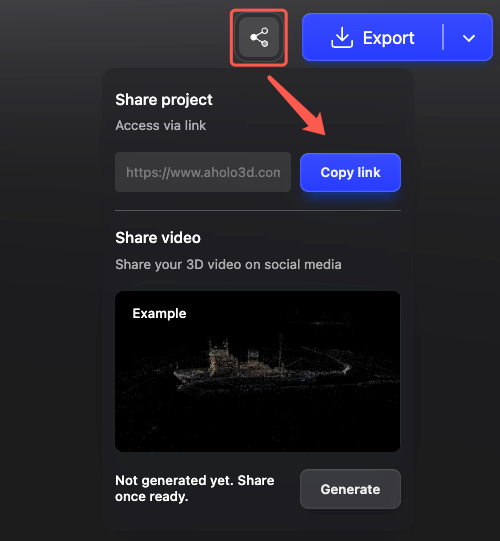
Sharing via a link is the quickest and easiest way to share your project.
1. Generate a Share Link
Click the “Share” button
A project link will be generated automatically
2. Send the Link
Copy and send the link to others
Recipients can view the project online instantly
Export Video
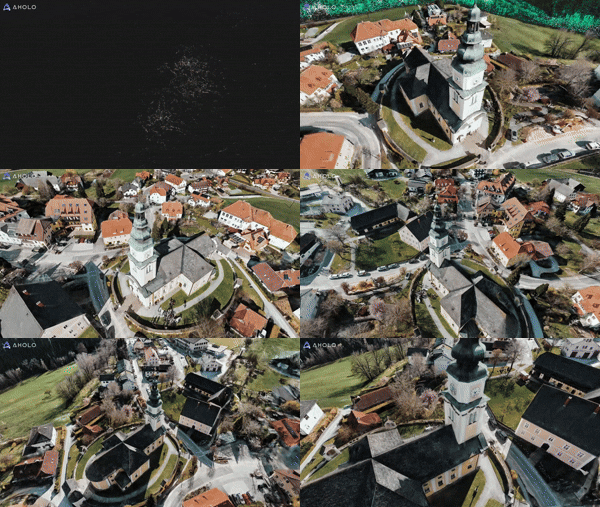
You can export your 3D model as a video for social media or presentations.
Supported format:
MP4
How to use:
Click “Video” in the editor
Set camera paths and effects
Export the video
For detailed steps, see: Video Export Guide
Download Gaussian Splat Files
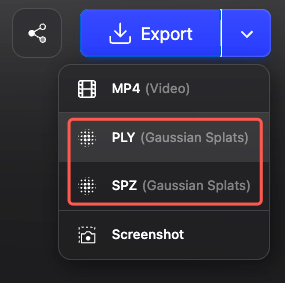
You can export point cloud data for further editing or development.
Supported formats:
PLY (Gaussian Splats)
SPZ (Gaussian Splats)
Use cases:
Import into tools like Unity
Secondary development or rendering
Professional project workflows
Take a Screenshot
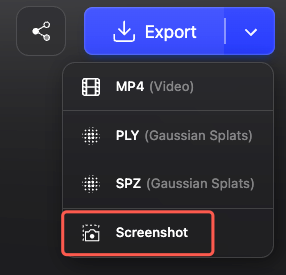
You can save the current view as an image.
How to use:
Adjust to your desired view
Click “Screenshot”
Features:
Quick export
Preserves current composition
Ideal for covers or sharing
Choosing the Right Export Method
Select the method based on your needs:
Was this helpful?
Still need help? Ask the team