Browser Extension Installation
Written By Aholo3d
Last updated 2 months ago
Welcome to the Aholo 3DGS Browser Extension. This document will guide you through installing the Aholo 3DGS browser extension on your computer.
1. How to Install
1.1 Download from the Aholo Official Website
Open the Aholo website: https://studio.aholo3d.com/
Click "3DGS Viewer" in the navigation bar to get the download link.
You will then download a file named Aholo3DGS-Plugin.zip
1.2 Install the plugin into your browser
Open your browser and go to Extensions → Manage Extensions, or open this link in a new tab: chrome://extensions/
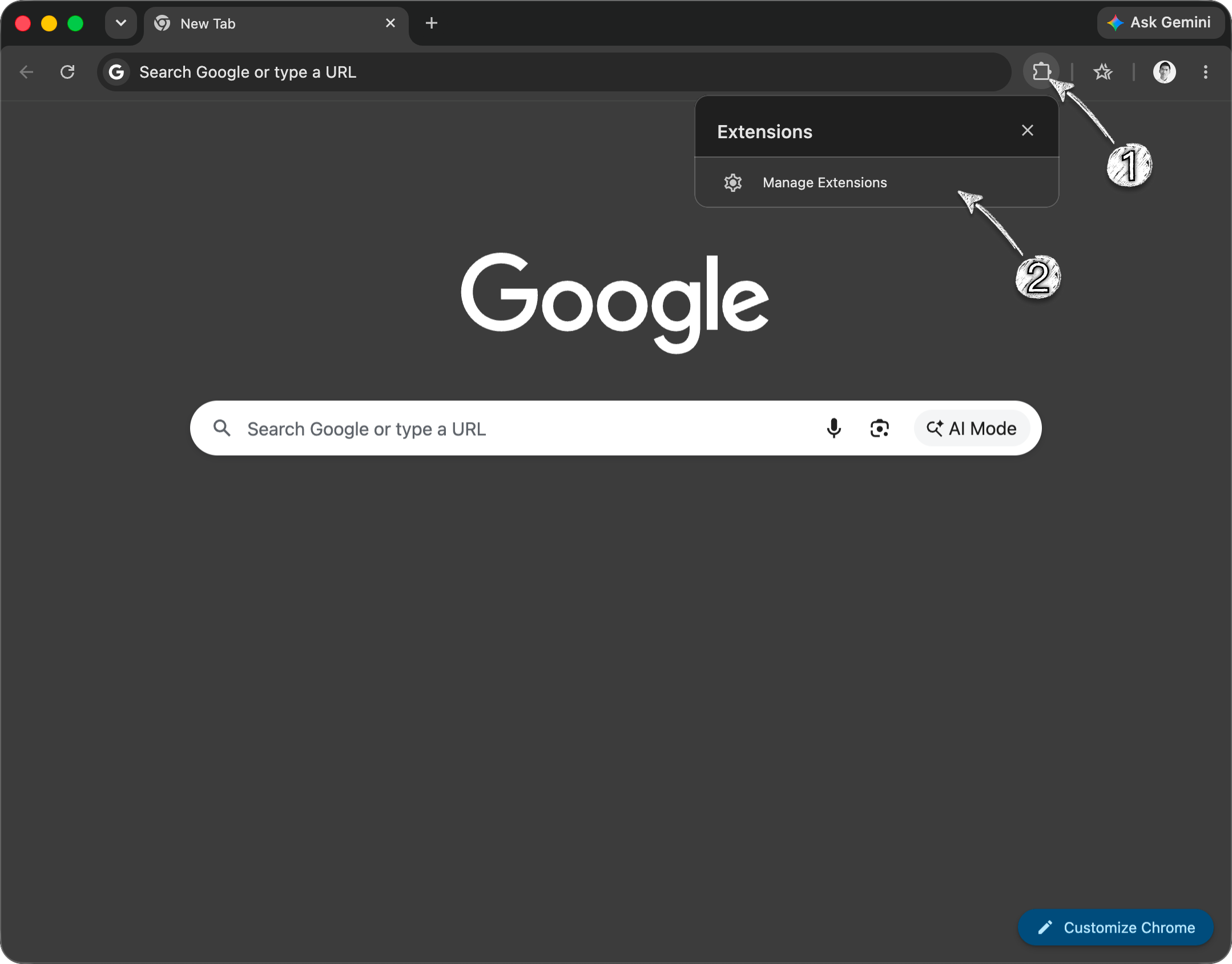
Double-click to extract the Aholo3DGS-Plugin.zip file.
Drag the extracted folder, Aholo3DGS-Plugin, into your browser window.
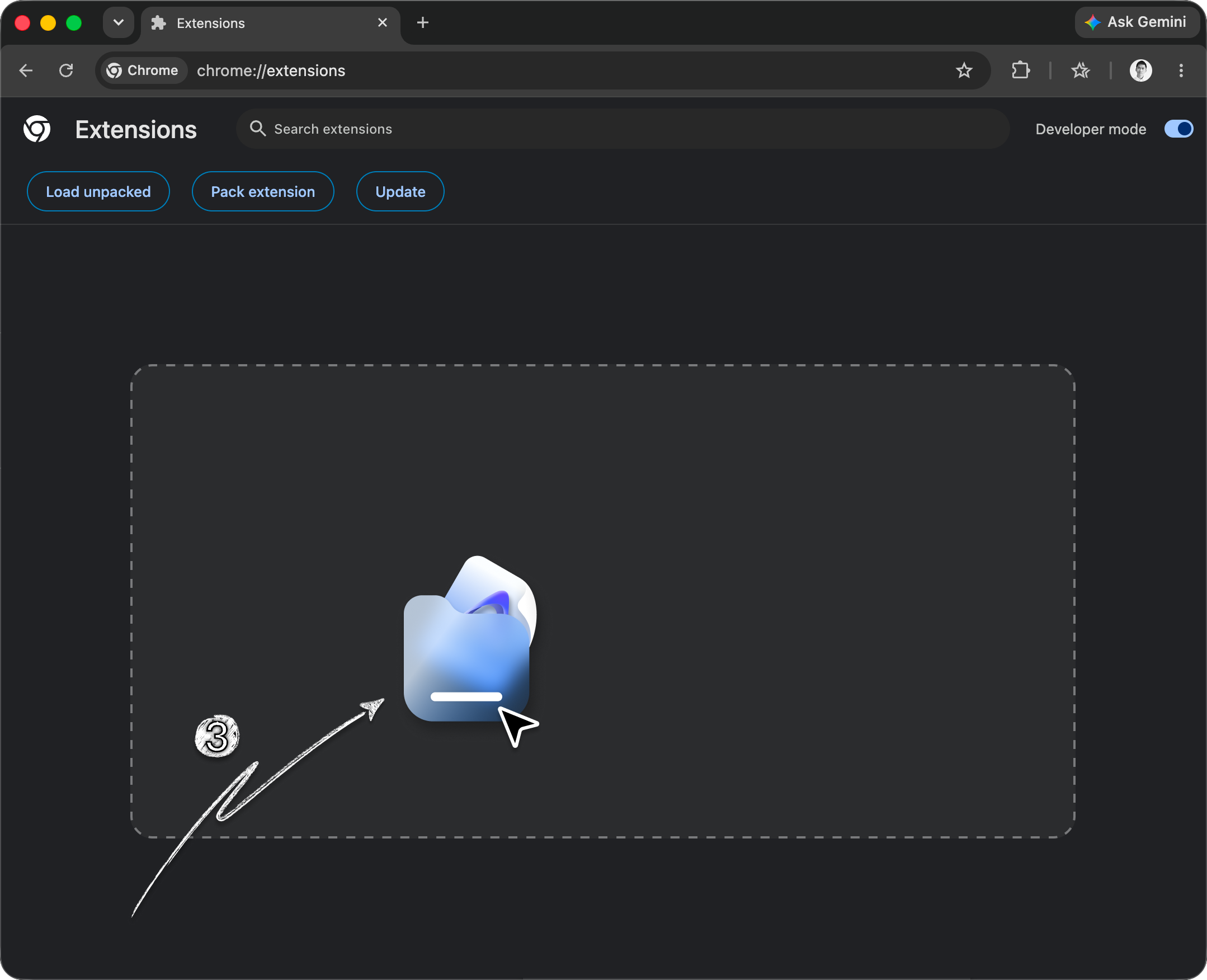
Installation complete!
2. What Is the Aholo 3DGS Browser Extension?
The Aholo 3DGS Browser Extension is a Chromium-based browser extension that allows you to quickly open, view, and edit 3DGS files locally after installation, as well as create projects in Aholo.
3. How to Get the Extension
Aholo Official Website: https://studio.aholo3d.com/
Click "3DGS Viewer" in the navigation bar to get the download link.
4. Compatibility and Supported Formats
The Aholo 3DGS Browser Extension currently supports, but is not limited to, Chrome, Microsoft Edge, 360 Browser, and Quark. It is compatible with both Windows and Mac.
To ensure the best experience, please make sure your browser is updated to the latest version before installation.
Currently supported formats include PLY, SPZ, and SOG. Support for additional formats is currently in progress.
Was this helpful?
Still need help? Ask the team