Walkthrough Mode
Written By Aholo3d
Last updated 3 months ago
Walkthrough mode lets you explore the scene as if walking through a real space.
This feature is only available for scenes that have been converted to voxels and support this mode.
Perspective Switching
Walk Exploration supports both first-person and third-person perspectives.
First-Person View
Observes the scene from the character's eye level, providing an immersive sense of presence.
Third-Person View
Observes the scene from behind the character, allowing you to see the character's position within the space.
Switching Between Perspectives
- Mouse: Scroll the wheel — scroll forward to enter first-person, scroll backward to switch to third-person
- Touch: Pinch to zoom in for first-person, pinch to zoom out for third-person
Movement & Interaction
Click to Move
Click on a reachable spot in the scene, and the character will automatically walk to the target location.
The system automatically calculates walkable areas, preventing the character from walking through walls or entering inaccessible regions.
Space to Jump
Press the Space key to make the character jump.
- Can be used to cross low obstacles
- Jump height is fixed — cannot scale walls or other large barriers
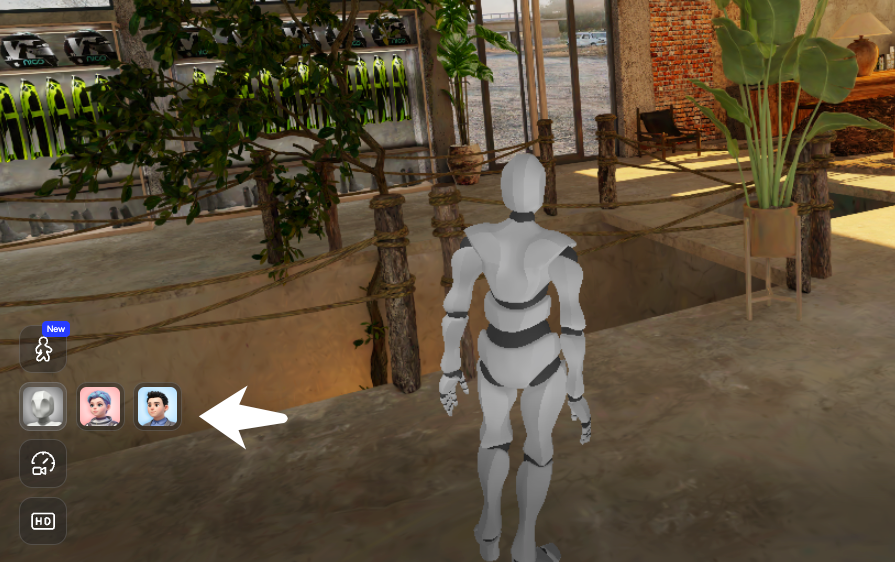
Character Switching (Third-Person)
In third-person view, you can choose from different character avatars in the settings.
The character's appearance will update instantly in the scene after switching.
Was this helpful?
Still need help? Ask the team